



Anthony A. Perri is the founder and the resident "Stats Nerd" here at Fantistics. Anthony is the designer of the Fantistics Projections, Grading, & the VAM drafting strategy models. His fantasy expertise has been published in several national publications, and can be heard on their nationally broadcast SiriusXM (ch87) Fantistics Sports Radio Show. Anthony has an MBA and worked as a quantitative analyst within the investment industry from 1986-1999. Transplanted from New York (still a Mets and Giants Fan), he currently lives in Arizona with his wife Mary , daughter Hannah, and son Adam. Having won a "trophy room" of Fantasy Sports Championships over the last 25 years, he hopes to continue to lead you in the same direction.






Paul Haddix
Mar 18, 11 at 11:32 PM
I love that the mac software is out!!! Overall it seems to be well done but there are a few things missing, I am assuming these are in development. Most importantly - Scoring Goals. As these effect the VAM of certain players, at times by several draft spots (or rounds) this is significant, any idea on when this will be incorporated. In addition no mock draft module on the mac program that I can see. The layout looks great, obviously similar but certainly mac feeling and more responsive, thanks for all the hard work on this guys!
Paul Haddix
Mar 18, 11 at 11:32 PM
I love that the mac software is out!!! Overall it seems to be well done but there are a few things missing, I am assuming these are in development. Most importantly - Scoring Goals. As these effect the VAM of certain players, at times by several draft spots (or rounds) this is significant, any idea on when this will be incorporated. In addition no mock draft module on the mac program that I can see. The layout looks great, obviously similar but certainly mac feeling and more responsive, thanks for all the hard work on this guys!
Anthony A. Perri
Mar 18, 11 at 11:32 PM
The Scoring Goals are available, be sure to visit to visit the download center periodically for new releases. Thanks for the compliment Paul, we appreciate it!
joe wallentin
Mar 18, 11 at 11:32 PM
need info for this as a 2012 baseball draft version....
i need it to download on my mac for a iPAD2---
i've had a problem that safari can't download items before---
will this be problem with your 2012 version?
buxxbuxx@aol.com
Anthony Perri
Mar 18, 11 at 11:32 PM
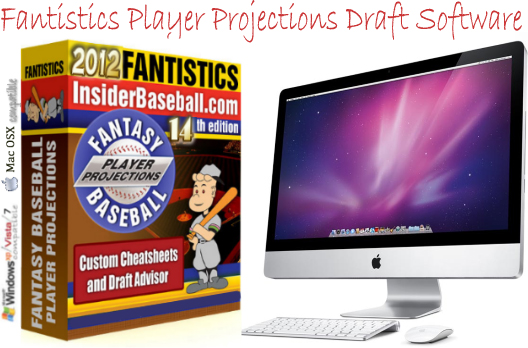
The 2012 Version is compatible on any Mac running 10.5 OSX or above. Bascially any Macbook purchased in the last 4 years will be able to run the software.
This Mac version does not work on an iPad however.Currently the iPad doesn't have enough computing power to accomplish the calculations necessary to capture position scarcity and inflation during a draft (the OS for the PC and Mac does). We're hoping that future versions of the iPad will incorporate the same OS as the Macintosh OSX.
Josh
Mar 18, 11 at 11:32 PM
Anthony, I tried downloading from the Mac App store using iTunes gift cards I had redeemed. The balance is showing up in my account, but won't let me use it to purchase the app. Any ideas??
brent silva
Mar 18, 11 at 11:32 PM
hi, my draft is tomorrow and as i am playing with program i cant seem to find out how to actually start the draft so i can add players to teams roster thus eliminating them from the players pool. I can only find the mock draft. thanks
Anthony Perri
Mar 18, 11 at 11:32 PM
If you use a MAC mouse or finger pad, pressing on the Command or CTRL key and then clicking (mouse or pad) is equivalent to a right mouse click on a Windows type mouse).
Select any player from the player projections area or the Top VAM ranking and select him to a team.
Good luck with your draft!