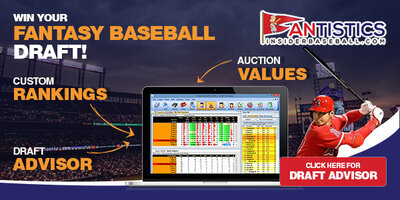
Get your Mock on...our new Mock Draft module may become one of the most addicting fantasy tools that you've ever utilized. Fantasy GMs can now simulate a fantasy draft before draft day while utilizing their specific scoring rules. More importantly you'll be able select players at your own pace, instantly seeing the scoring ramifications of the draft selections made, test the Fantistics Draft Strategy (VAM) & valuations (EAV$), while honing your draft skills....and you won't have to spend 4 hours doing it. You can run a Mock Draft simulation in as little as 5 minutes, pause your draft at any time, or just walk away. From the many positive comments we have received from the beta testers, be prepared for an informative yet fascinating experience.
The new Mock Draft module, within the Fantistics Player Projections program, allows fantasy GMs to practice drafting skills using our recommended VAM draft strategy. The opponents' (automated computer selectors) will be using ADP. ADP or Average Draft Position represents an accumulation of fantasy drafts throughout the fantasy baseball community. We collect this information every week during spring training and update ADP accordingly. The Mock Draft module also allows us to use the "true" VAM draft strategy, were we recommend switching to player valuation (EAV$) after the first 90-100 selections of your draft. With this mock draft feature you are free to decide when you would like to switch from the VAM strategy or not switch (if you choose.)
Other draft strategy options you can select as your strategy include EAV$, Fantasy Points (if fantasy points is selected in Setup area) or ADP (In most cases you will experience that our VAM strategy produces the most optimal results.)
Options include 1. Drafting starting positions before reserves (recommended), 2. Having the program stop before your selection (allowing you to make selections, instead of the selected automated strategy), and 3. Recalculating Values to capture the draft "position scarcity" (see footnote below).
We recommend that you open the Rosters tab and the Draft Summary tab, prior to running your mock draft. Having these windows open will allow you to toggle between the screens, allowing you to see how your team is shaping up verses your opponents, and more importantly: how your team is accumulating fantasy points or Roto points verses the competition (see Draft Summary).